
Field Annotation with AI in FileMaker Application
September 21, 2026
Field Annotation & Generate Response from Model
FileMaker 2026 has introduced an interesting feature called Field Annotation.
It can be used with FileMaker's AI features to provide context about what a field represents and how content of it should be interpreted.
This can be particularly useful when working with AI-powered document processing.
One of our FileMaker applications manages different types of documents across multiple modules including Company, Contacts, Projects, Invoices, Employees.
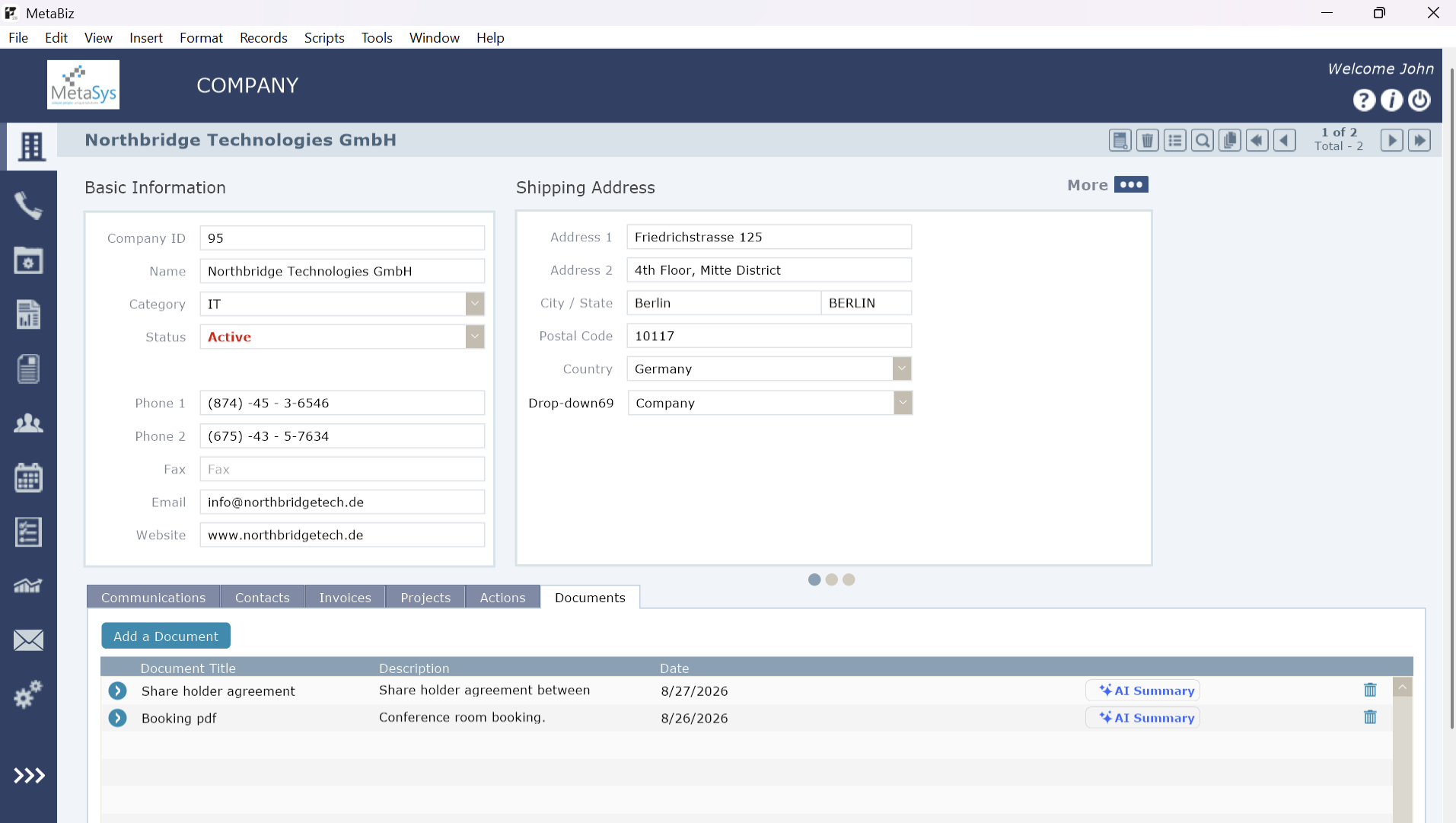
The documents vary from Contracts, Legal, Financial to brochures, catalogs, price list and other important documents. Reviewing lengthy documents manually can be time-consuming. To help users quickly understand the contents of these documents, we implemented an AI-powered document summarization workflow within the FileMaker application. The objective was simple: instead of requiring users to open and read an entire document just to understand its key information, the application uses AI to extract and present the most relevant details in a concise, structured format.
For this case we have used one of the very powerful script steps, Generate Response from Model’.
Document → Extract text → Annotation + Prompt → Generate Response from Model → AI document Summary
Below is the step-by-step approach we followed:
1. Set field annotation
The first step is to define the field annotation for the field which holds the document.
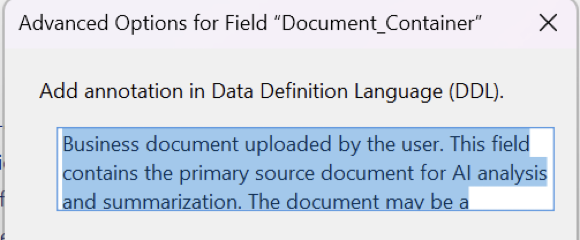
2. Configure AI Account
The next step is Configure AI Account for given Model and provide related API key.

FileMaker supports multiple AI providers: Open AI / Anthropic / Cohere / Google and Custom
3. Extract the text from the document
We need to pass the content of the document to AI model.
We used GetTextFromPDF which easily extracts contents of pdf document

4. Create prompt with Annotation
Next important step is creating an effective prompt.
FieldAnnotation function of FileMaker 2026 helps in extracting the annotation which can be passed as contextual information in the prompt

This is how the prompt is structured:
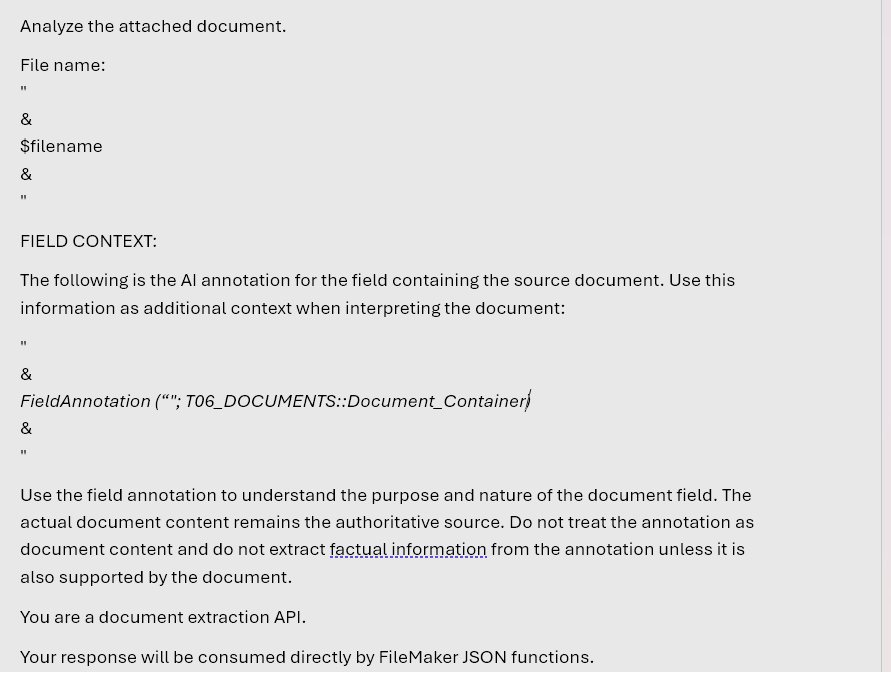
Key considerations when creating prompt:
- Use Field Annotation for context; treat the document content as authoritative.
- Identify the document type and extract only relevant information.
- Never guess, assume, infer, or invent information.
- Keep mandatory fields consistent across responses.
- Keep summary short and concise.
- Format important Details as plain text with headings and bullets.
- Avoid empty, irrelevant, or duplicate fields.
- Include document-specific details only when applicable and supported.
- Prioritize parties, dates, amounts, obligations, deadlines, and key terms.
- Ignore PDF extraction artifacts and formatting noise.
- Return valid, parseable JSON only, with no extra text or Markdown.
- Validate the final JSON structure and extracted information.
5. Generate Document Summary
After the prompt is prepared, use Generate Response from Model script step to get the Document summary This script step requireds:
- Your AI account
- Model
- Above created prompt

6. Final step
Based on the context and instruction, AI model analyzes extracted document with the help of prompt and Field Annotation and gives the response. The final step is to present the AI-generated response in User understandable format.
Field Annotation along with GetTextFromPDF and Generate Response from Model gives a practical approach to the AI powered document summarization into FileMaker applications. For the users of the application, the result is a more efficient way to work with documents: the document remains available as the source of truth, while AI provides a concise and structured view of the information users are most likely to need.